

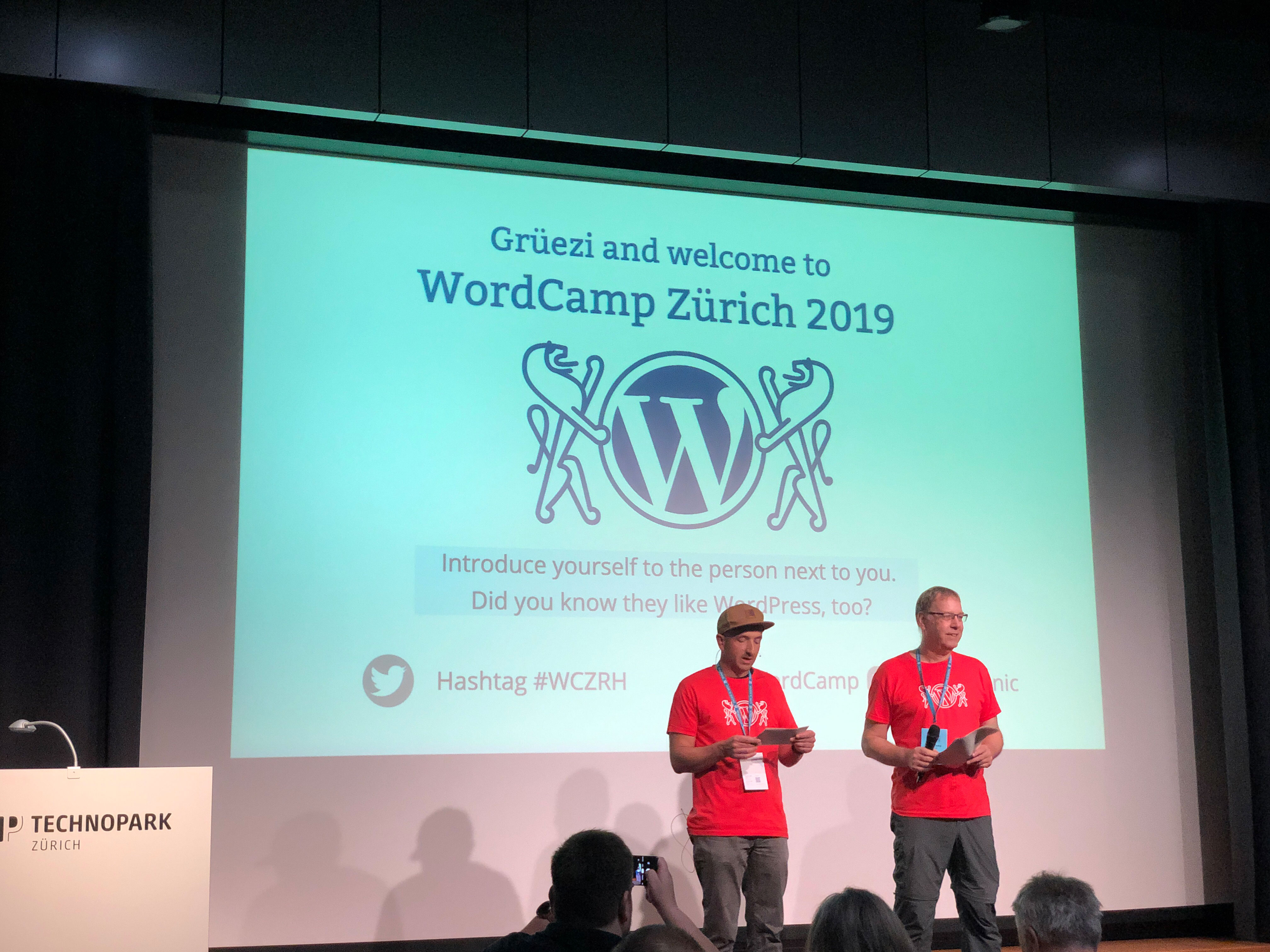
On September 14, 2019, the WordCamp for Wordpress Camp took place at the Technopark Zürich. This one day event gathered more than 200 people from the Wordpress user and developer community and addressed different topics around website optimization, wordpress plugin creation, user accessibility, how to attract visitors to your site, with WooCommerce, multilingual sites, customer support, templating with a Page Builder. All this spread over 20 presentations, the complete program can be consulted on theWordCamp Zurich websiteOur friends from Openstream, including Nick Weiser, were among the main organizers. We thank them for their invitation.
Progressive WordPress: bringing modern open web solutions to WordPress - Alberto Medina, Thierry Muller
Google employees presented a topic on PWA (progressive web app) and AMP (Accelerated Mobile Pages), a Google technology that reduces the weight of pages. Javascript is one of the most important sources of performance problems. AMP helps to improve performance by displaying and loading only what is necessary to the user. A plugin is available for Wordpress. Be aware however that AMP does not allow to do everything that is possible with traditional web technologies.
The advantage of PWA is mainly to have a better user experience when for example the user is not connected to the Internet, or to be able to receive push notifications, or to allow the visited site on your home screen and consult it offline.
«Content is king »#googleemployees presenting AMP plugin for#wordpress#WCZRHto improve user experience (but also reducing the openesss of the web!)pic.twitter.com/YTrVqhUGgw
— Sylvain Rayé (@sylvainraye)September 14, 2019
Lightning Presentations
Among the WordCamp presentations, some were Lightning Presentations, 10mins long presentations for a quick inspiration, motivation or demystification session.
An example being the presentation made by Simona Simionato “Public speaking: dispel the myths and tips for success”. In particular, she cited some items that people might mistakenly think would not work as a speaker at an event and that for each item, the Speaker should understand that the public is generally understanding or that in reality, there is nothing to worry about (this is a shortcut on my part). For example:
- I am boring
- I am nervous
- Practicing and being a speaker several times will help you reduce your nervousness.
- I’m afraid of Q&A sessions
- Fear of not knowing how to answer a question or that the question is even irrelevant. In this case, don’t hesitate to say that « I don’t know » or that we can discuss it outside of the presentation, or even ask in the audience if anyone has the answer.
- I am a fraud
- Talking about a topic
- The fear of not being able to master the subject or not being able to know everything. Simona assumes that having the desire to share her knowledge with the public brings respect.
- I’m not an expert
- Simona indicates that one cannot know everything about everything and who are the participants of a conference
Vom Agentur-Büro in die ortsunabhängige Selbständigkeit mit WordPress - Freelancing happiness with Michael Hörnlimann. Michael shared here his experience as a Freelancer and his freedom to work from anywhere while allowing him to discover the world.
Die dunkle Seite der Conversion-Optimierung de Dorian Warning on the Dark Patterns used on the sites to make you look bad. For example, getting visitors to sign up for services that they didn’t want didn’t want in the first place, or to accept things without their knowledge.
The use of Dark patterns gives publishers and suppliers a bad name because of the dissatisfaction generated by this kind of technique. This creates bad publicity on social networks and can have an impact on an entire have an impact on a whole branch like the hotel industry for example. This consequently, gives a bad image to the company. It is a technique in principle to be avoided, but it is unfortunately very widespread.
Taking Analytics to the Dance Floor - Claudia Kramer
Claudia Kramer, self-employed, demonstrates through a story telling around the “dancefloor” different personas having each a different behavior and how these people can play an influence on the audience of your website by comparing them to statistics and different tools present in Google Analytics thanks to the campaigns, tags, urls analysis, etc provided by the editor. You can watch her presentation onthis link
Pains and Gains with WooCommerce - Enrik Berisha
With 20% market share, WooCommerce is one of the eCommerce solutions with a definite advantage. However, all is not rosy and some “Pain & Gain” were presented by Enrik. In particular, several functions are not present and are covered by extensions, thus raising conflicts or compatibility problems. For example with a multilingual store (WPML) and the use of SEO (Search Engine Optimization) techniques. Performance is also a problem because of the difficulty to caching pages with multiple languages and/or currencies.
Enrik demonstrated in a rather original way the difficulties he encountered in setting up a WooCommerce store. Below are the main problems that one can encounter with WooCommerce:
- the multilingual management of the store: this is an intrinsic problem with Wordpress
- Multi-currency management
- Cache management: requires development to improve performance depending on the project
- Management of grouped or staggered prices
- Multi-stock : note that on this point an integration with Marello can solve this problem.
Note that WooCommerce was bought by the parent company of Wordpress and that there will certainly in the years to come the coming years an improvement and harmonization between these two tools.
The positive points of WooCommerce, however, is a wide choice of extensions available thanks to the large Wordpress community and a low entry cost.
NDR : The choice of an eCommerce solution depends strongly on the need and complexity of the project. WooCommerce meets a relatively simple need but quite effective, hence its popularity, as well as Shopify. For more more complex projects, other alternatives are to be considered such as Magento, Shopware, OroCommerce, Sylius or Prestashop.
Mehrsprachige Websites mit WordPress - Martin Sauter : Translation in Wordpress is a big topic, as the core of this CMS is not multilingual and is covered only by third-party modules that may not be compatible with other extensions.
Among the solutions available for Wordpress, here are the most common ones that each address a specific problem:
- WPML : allows to export the translations and be used by the translators to perform the translation with their own tool. It is very complete and allows translations directly in their editor but outside the context of the standard wordpress editor
- Polylang : no interface to translate from the original content
- TranslatePress : not the best solution if the original content changes
- Weglot : works automation of the translation with Google Translate
- MultilingualPress : allows you to have one translation per website
What tools do the translators use?
The translation of a website under Wordpress differs according to the context: content (blog post) vs. system text (Your Username, Your Email address, …)
- Plugin “Say what”
- Plugin “loco translate”
These plugins are rather annoying when you have several websites, the translator does not get feedback on the quality of the translation.
Another solution, https://translate.wordpress.org, which allows you to work collaboratively on the translations of the system texts on WordPress :
- The translation is common and allows feedback from other translators
- Easy-to-use features
- The result is automatically redistributed to the community
In 2020, for Project Gutenberg, WordPress will work on official multilingual support. This is what called “ Phase 4”.